Windows PC · overwatch2cheat.org
Overwatch 2 Enemy ESP
Enemy ESP focuses on opposing players. Use it to see threats through cover before you swing an angle.
Enemy ESP controls for Overwatch 2
Every control below is part of the documented Overwatch 2 menu.
Core
Enable enemy ESP
Turns the enemy-only overlay on or off.
Max distance
Limits how far enemy overlays are drawn.
Visualization
Enemy box
Draws a box around enemy players.
Box thickness
Sets enemy box line thickness.
Distance label
Shows distance to the enemy.
Health bar
Shows a health bar when the build supports it.
Filters
Visible only
Limits overlays to enemies the build marks as visible.
Ignore bots
Hides practice bots when supported.
Font scale
Adjusts text size for enemy labels.
In-game preview
In-game ESP and wallhack screenshots from the Overwatch 2 cheats package on Windows PC.
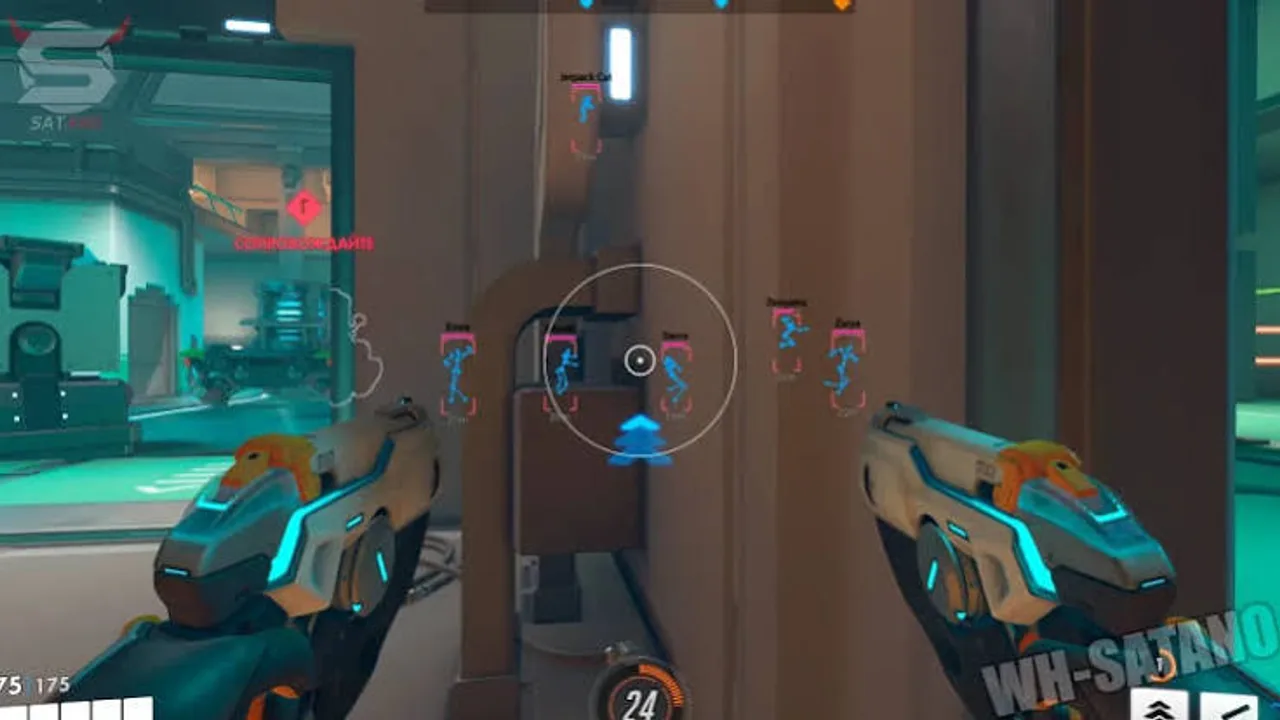
ESP through cover
In-game previews of player ESP, skeleton overlays, and distance readouts from live Overwatch 2 matches on Windows PC.
Enemy ESP FAQ
Pricing, delivery and compatibility before you buy Overwatch 2 Cheats.
Where do I buy Overwatch 2 Cheats?
Use Buy Overwatch 2 Cheats on the product page. Current price and access length are shown at checkout. The button stays on this site; purchase continues on the checkout page.
Which Overwatch 2 cheat features are included?
Combat assist, player ESP, enemy ESP, wallhack, health and ult ESP, radar colors, key binds, and config profiles. See /features for the grouped list and each control explained.
Will this keep my account safe or stop bans?
No. This site does not claim the product is safe for a main account or free from penalties. Using third-party software can violate game terms. You accept that risk.
What happens after an Overwatch 2 update?
Game updates can break a build. Check product status at checkout before you load after a patch. If status is updating, wait.
How is access delivered?
Delivery is digital to the email used at checkout. If it does not arrive, check spam and then use the Support page with your order reference.
What is the refund policy?
Digital access follows the Refunds page. Failed delivery can qualify. A change of mind after working access is generally not refunded. Bans are not an automatic refund.