Windows PC · overwatch2cheat.org
Overwatch 2 Key binds
Key binds map a supported function to a key you choose. They do not add new features. They only change which key runs a function that already exists.
Key binds controls for Overwatch 2
Every control below is part of the documented Overwatch 2 menu.
Menu
Aim
Custom hold primary key bind
Hold key for the primary aim action.
Custom hold secondary key bind
Hold key for the secondary aim action.
Custom switch to head key bind
Switches the selected hitbox toward the head while held or pressed, as the bind is set.
Toggles
Custom toggle key bind
Main toggle for the product.
Custom toggle players key bind
Toggles the player overlay.
Custom toggle radar key bind
Toggles the radar overlay.
Custom toggle health ESP key bind
Toggles health and ult overlays.
Custom panic key bind
Turns supported overlays off quickly.
In-game preview
In-game ESP and wallhack screenshots from the Overwatch 2 cheats package on Windows PC.
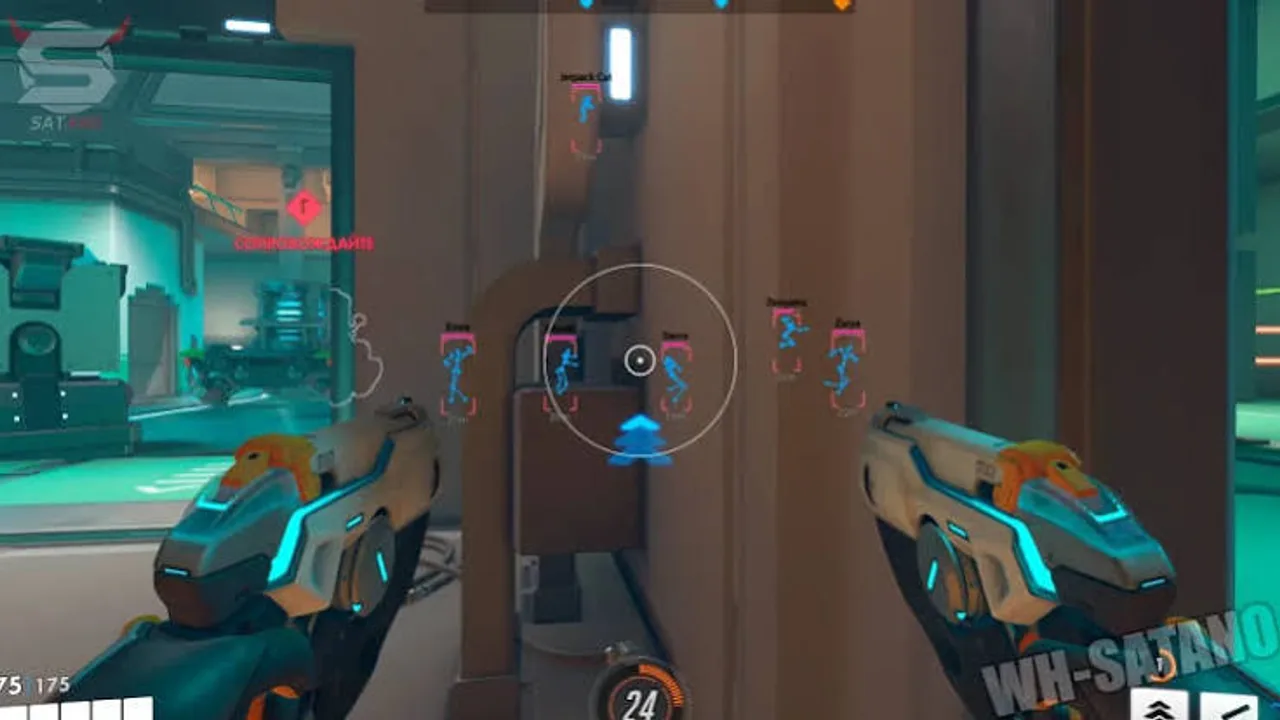
ESP through cover
In-game previews of player ESP, skeleton overlays, and distance readouts from live Overwatch 2 matches on Windows PC.
Key binds FAQ
Pricing, delivery and compatibility before you buy Overwatch 2 Cheats.
Where do I buy Overwatch 2 Cheats?
Use Buy Overwatch 2 Cheats on the product page. Current price and access length are shown at checkout. The button stays on this site; purchase continues on the checkout page.
Which Overwatch 2 cheat features are included?
Combat assist, player ESP, enemy ESP, wallhack, health and ult ESP, radar colors, key binds, and config profiles. See /features for the grouped list and each control explained.
Will this keep my account safe or stop bans?
No. This site does not claim the product is safe for a main account or free from penalties. Using third-party software can violate game terms. You accept that risk.
What happens after an Overwatch 2 update?
Game updates can break a build. Check product status at checkout before you load after a patch. If status is updating, wait.
How is access delivered?
Delivery is digital to the email used at checkout. If it does not arrive, check spam and then use the Support page with your order reference.
What is the refund policy?
Digital access follows the Refunds page. Failed delivery can qualify. A change of mind after working access is generally not refunded. Bans are not an automatic refund.